
AI Integrations Guide for Small Teams
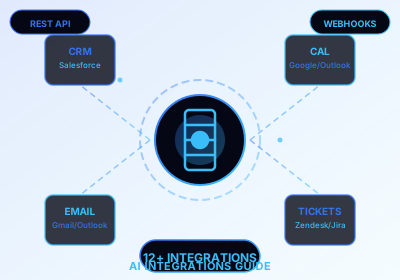
Small teams don't need a dedicated engineering team to integrate AI. With the right tools and APIs, you can connect AI models to your existing stack and automate repetitive work immediately.
Start with your data layer
Before integrating AI, ensure your data is accessible. Your CRM, email, and calendar APIs should be ready for external queries. Clean, structured data gives AI models reliable input to work with.
Use pre-built integration layers
Platforms like Zapier, Make, and n8n offer no-code connectors for popular AI models (OpenAI, Anthropic, Claude). These handle the heavy lifting of API calls, rate limiting, and error handling.
Connect AI to your CRM
Use AI to enrich contact records, summarize email threads, or score leads. Connect via API calls or use no-code tools that expose drag-and-drop interfaces for non-technical teams.
Automate email and calendar workflows
Set up AI-generated draft replies, meeting schedulers, and task creators that trigger from email or voice commands. Your team spends less time on admin and more time on high-value work.
Security and governance
When integrating AI with customer data, observe privacy regulations (GDPR, LGPD). Use API keys with restricted scopes, log all AI queries, and never send personally identifiable information to third-party models without anonymization.